How to get your tourism website cited by AI
AI cites a city's own tourism site in about half its answers, from 87% for ChatGPT to 28% for Claude. Seven things that make the difference, from robots.txt to answering the question in the first two sentences.
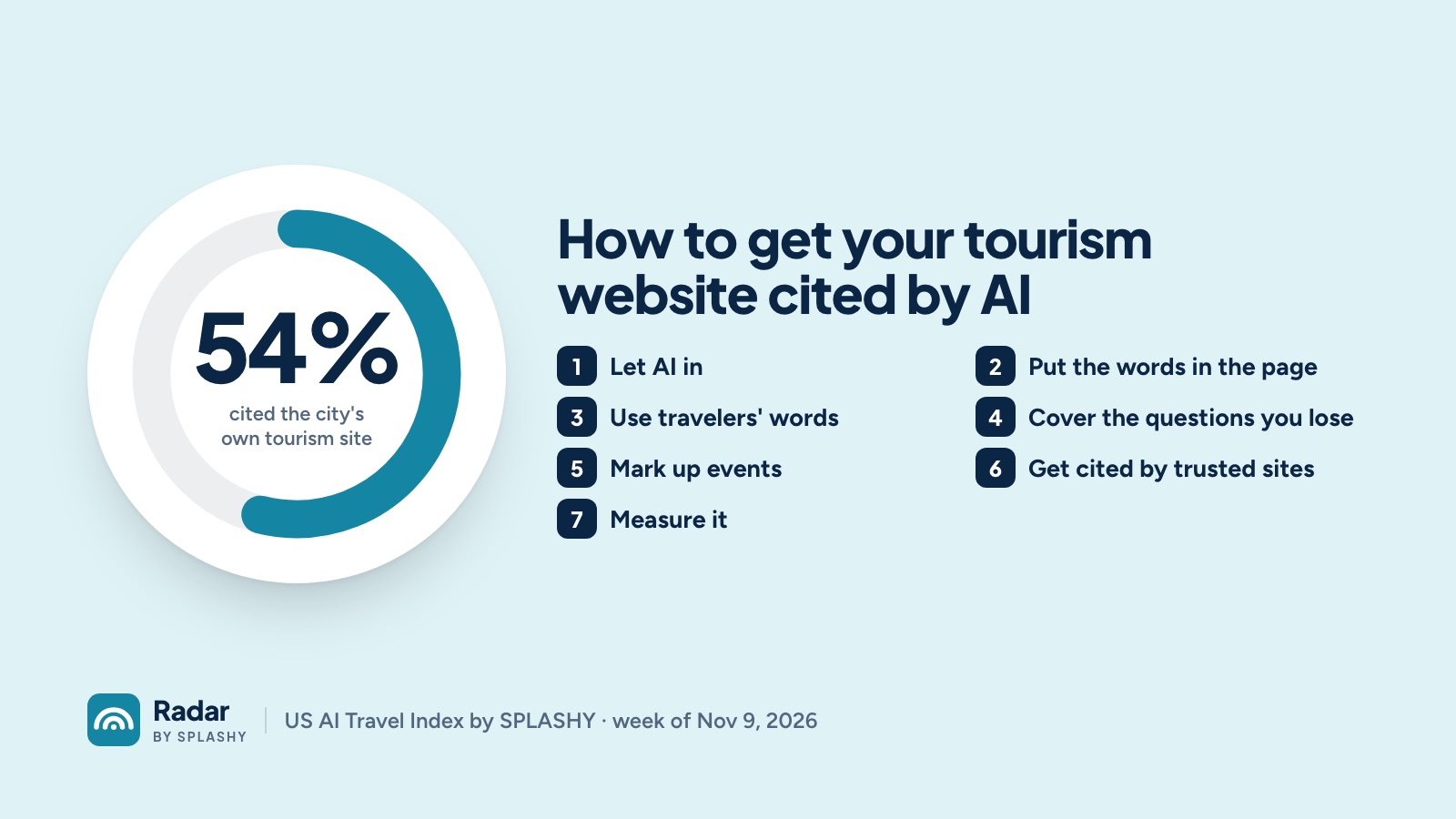
When a traveler asks an AI assistant about your destination by name, you want the answer to send them to your website. Sometimes it does. In the first week of the US AI Travel Index, assistants cited a city's own tourism website in about half of their answers about that city: 87% of the time for ChatGPT and 28% for Claude. For the best-performing cities it was 74%.
Here's what we've learned about the sites that get cited, from those checks and from reading thousands of the pages AI chooses instead.
1. Let AI in
An assistant can't cite a page it can't read.
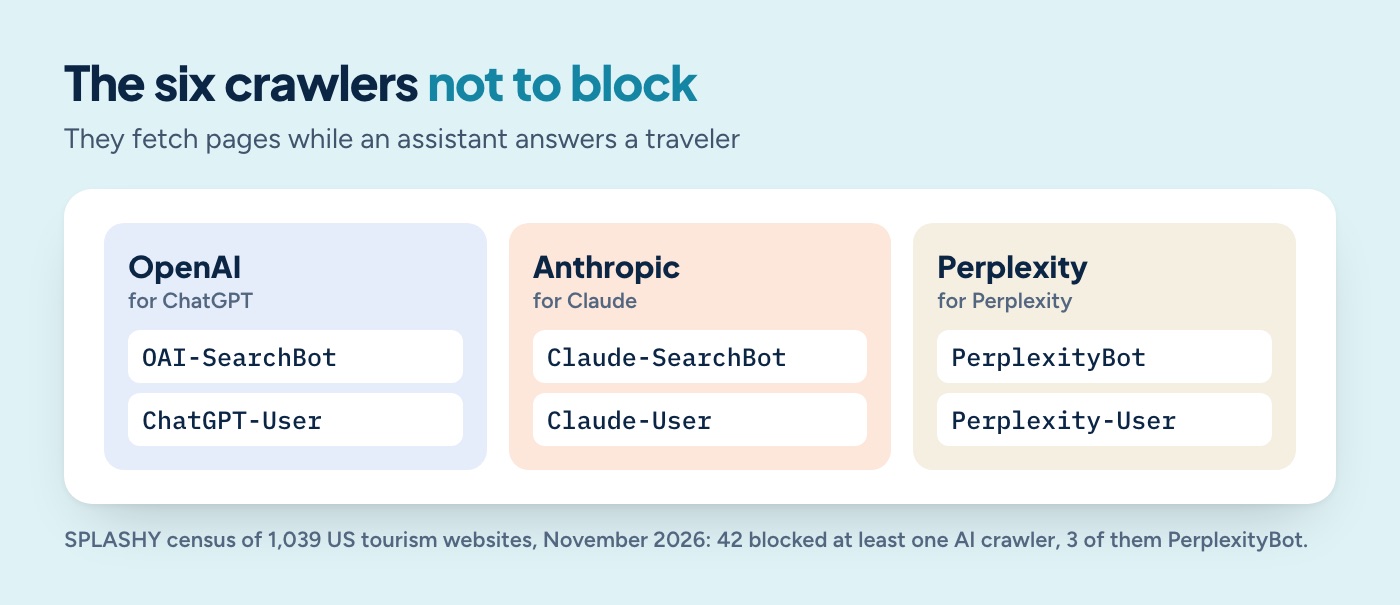
- Check your robots.txt (yoursite.com/robots.txt). Make sure it doesn't block the crawlers AI uses to search while it answers: OAI-SearchBot and ChatGPT-User (OpenAI), Claude-SearchBot and Claude-User (Anthropic), PerplexityBot and Perplexity-User (Perplexity). In our census of 1,039 tourism websites, 42 blocked at least one AI crawler.
- Ask your web vendor about bot protection. Seventy-one tourism sites in that census turned away our automated request entirely. Security settings that block "bots" can block AI assistants too.
2. Put the words in the page
Some websites build their text with scripts after the page loads. A person sees a full page; many automated readers see almost nothing. When Radar re-read pages AI had cited, it found tourism and media sites whose pages came back nearly empty.
Ask your developer one question: "If I turn off JavaScript, can I still read the page?" If the answer is no, AI may not be able to read it either.
3. Answer the question in the words travelers use
AI cites pages that answer the question directly. Travelers ask "best things to do in [city] with kids", "how many days do I need", "is [city] walkable". Pages that win citations tend to:
- use the question as a heading, and answer it in the first two sentences;
- give specifics: names, prices, hours, distances, how long to allow;
- stay current, with the year in the title where it fits ("2026"), and real updates, not just a new date.
A generic "Things to Do" landing page with photos and short teasers is harder for AI to quote than a page that says "The North Carolina Museum of Art is free, open Tuesday to Sunday, and takes about two hours."
4. Cover the questions you're losing
Look at the questions where AI answers about your destination but cites someone else. The pages it cites instead show you what it wanted: a list of free things to do, a neighborhood guide, a 48-hour itinerary. If you don't have that page, write it. If you do, compare yours with the page that was chosen.
5. Mark up events and listings
Structured data (schema.org markup for events, attractions, organizations and lists) helps machines understand what's on a page. Most tourism website platforms can add it. Of Raleigh's competitors we checked, most tourism sites had it; a couple didn't.
6. Be cited by the sites AI already trusts
AI often cites forums, review sites and media instead of official sites. You can't control those, but you can show up in them: up-to-date listings on review and booking sites, press coverage, and helpful (clearly labelled) answers in community forums. When those pages mention and link to you, you're in the answer even when your own site isn't cited.
7. Measure it
AI answers change every week. Ask the same questions every week, across every assistant, and watch whether your site's citations move after you change a page.
Radar by SPLASHY does this for tourism boards: the same questions every week across ChatGPT, Claude, Gemini, Perplexity and Google AI Overviews, with the pages each one cited. You can run a free sample sweep to see where you stand today.